Threads Captions 101: A Creator Quick-Start Guide
A simple Threads caption framework for creators launching consistently.
Threads Captions 101: A Creator's Quick-Start Guide
Threads exploded onto the scene and millions of creators are still figuring out what actually works. This guide gives you the exact caption playbook — formats, tone, length, and strategy — so you can start growing from day one.
What Makes Threads Different from Every Other Platform
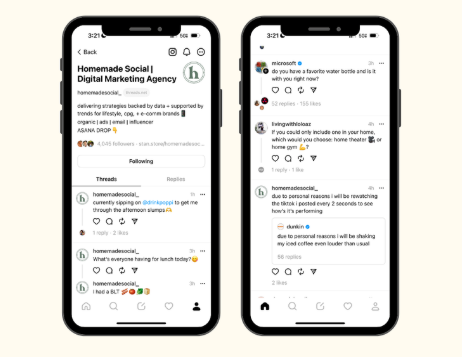
Threads is not Instagram. It is not Twitter. It sits somewhere in between — text-first, but deeply social, built on the Instagram social graph. That means your followers already exist. What you need is a content voice that fits the platform's casual, conversation-forward culture.
On Threads, the caption is the content. There is no image to carry you. No reel to do the heavy lifting. Your words need to pull all the weight — and that changes everything about how you should write.
Key differences to keep in mind:
- 500 character limit per post — tighter than you think, more than Twitter
- Replies are the growth engine — engagement in comments drives visibility more than likes
- No hashtag culture (yet) — keywords in the text itself matter more right now
- Reshares spread content fast — quotable, opinionated posts get reshared the most
- Chronological + algorithmic feed — consistency rewards you more than virality chasing
The 5 Caption Formats That Work Best on Threads
Not every caption style translates. These five formats consistently drive replies, reshares, and new followers on Threads:
1. The Hot Take
State a strong opinion people either fully agree or disagree with. Avoid the middle ground — safe opinions get ignored.
"Scheduling your Threads content is actually killing your growth. Here's why spontaneity wins on this platform."
2. The Micro-Tip
One actionable insight in under 200 characters. The simpler and more specific, the better. These get saved and reshared constantly.
"Post your best insight as a Thread, then reply to yourself with the context. Your first post becomes the hook, the reply becomes the value."
3. The Relatable Confession
Vulnerability performs extremely well on Threads. Share a real struggle, mistake, or behind-the-scenes moment. People reply to feel less alone.
"Spent 3 hours on a reel that got 200 views. Posted a random thought on Threads and it hit 40K. I don't make the rules anymore."
4. The Open Question
Ask something your audience genuinely debates. Not "what do you think?" — something with no clear right answer.
"Is building in public actually good for business, or does it just attract other creators and no real buyers?"
5. The List Thread
Start with a bold numbered claim as your first post, then reply to yourself with each point. This keeps people inside your thread longer and signals depth to the algorithm.
"5 things I wish I knew before starting my brand on Threads. (A thread 🧵)"
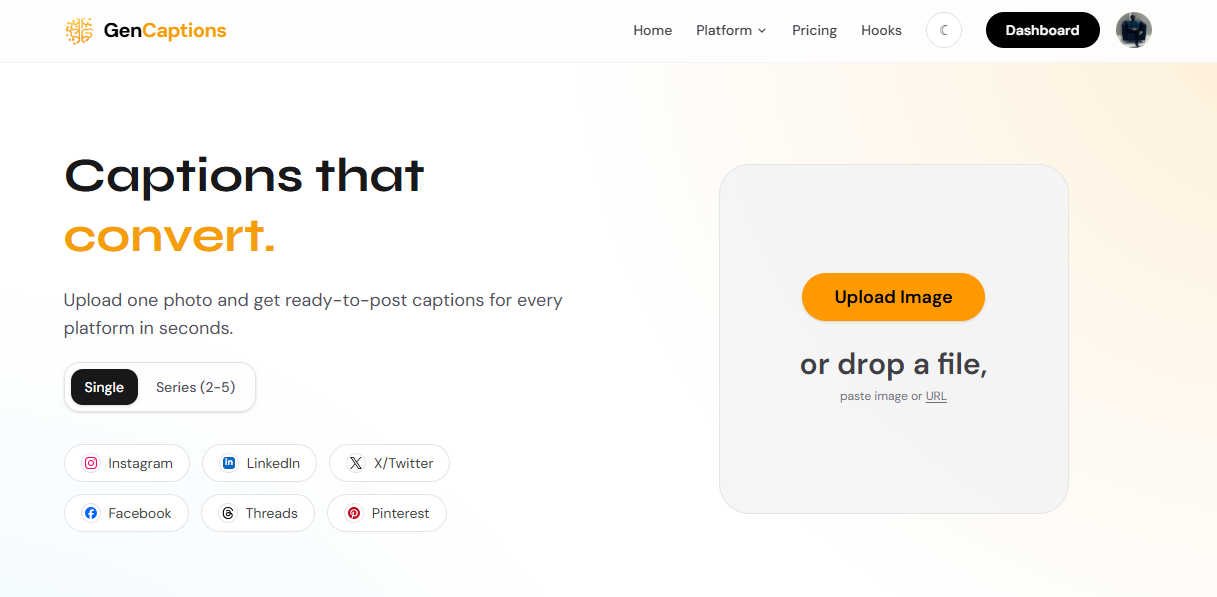
Step 1 — Describe Your Post Idea on GenCaptions
Not sure how to phrase your hot take or open question? GenCaptions.com works for Threads too — describe your topic or niche, pick your tone, and get platform-ready caption options in seconds. No blank screen, no overthinking.
Tone: What Voice Works on Threads?
Threads rewards authenticity over polish. The accounts growing fastest are not the most professional-sounding — they are the most human-sounding. Think of it like texting your smartest friend, not writing a LinkedIn post.
Tones that perform well on Threads:
- Conversational and direct — no jargon, no fluff
- Confident but not arrogant — share opinions without talking down to people
- Curious and self-aware — "I'm still figuring this out" posts drive more replies than "here's the answer" posts
- Slightly unfiltered — a little rough around the edges outperforms over-edited copy
Tones that kill your growth: overly corporate, listicle-heavy, hashtag-stuffed, or anything that reads like a press release.
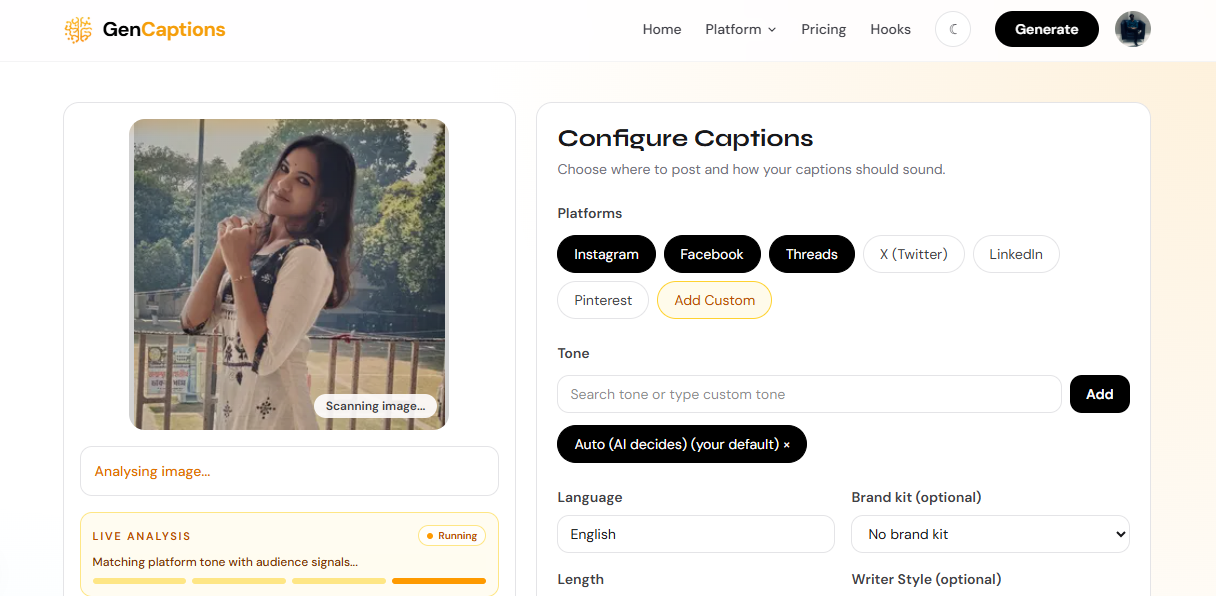
Step 2 — Select Your Caption Style
GenCaptions lets you choose between caption styles — hot take, question, micro-tip, storytelling — and match it to your brand voice. Whether you're a solo creator or managing content for a brand, keeping your tone consistent is what builds a loyal Threads audience over time.
Caption Length: How Much Should You Write?
Threads has a 500 character limit per post, but that does not mean you should use all 500. Here is a practical length guide:
- Under 150 characters: Hot takes, punchy observations, questions — best for reshares
- 150–300 characters: Micro-tips and confessions — enough depth to add value, short enough to read at a glance
- 300–500 characters: Mini-stories and list openers — use when the idea genuinely needs space
Rule of thumb: if you can say it in fewer words without losing meaning, cut it. Threads users scroll fast.
Posting Strategy: How Often and When
Threads rewards consistency over frequency. Posting 1–3 times daily is far better than posting 10 times in one day and disappearing for a week. The algorithm notices patterns, and so does your audience.
Proven posting habits from growing Threads accounts:
- Post 1–2 original thoughts daily at consistent times
- Reply to at least 5–10 other accounts every day — replies are your reach multiplier
- Reshare posts you genuinely agree with and add your take in the quote
- Do not delete posts that underperform — every post trains the algorithm on your content type
If content strategy and scheduling feel overwhelming, working with a digital marketing partner like Whatznot can help you build a consistent Threads content plan without burning out.
Common Threads Caption Mistakes to Avoid
- Cross-posting Instagram captions word for word — they sound wrong on Threads and followers notice
- Packing too many ideas into one post — one idea per post, always
- Using hashtags as filler — Threads search is keyword-based, not hashtag-based yet
- Only posting, never replying — broadcasting without conversation kills your reach
- Over-polished copy — if it sounds like an ad, people scroll past it
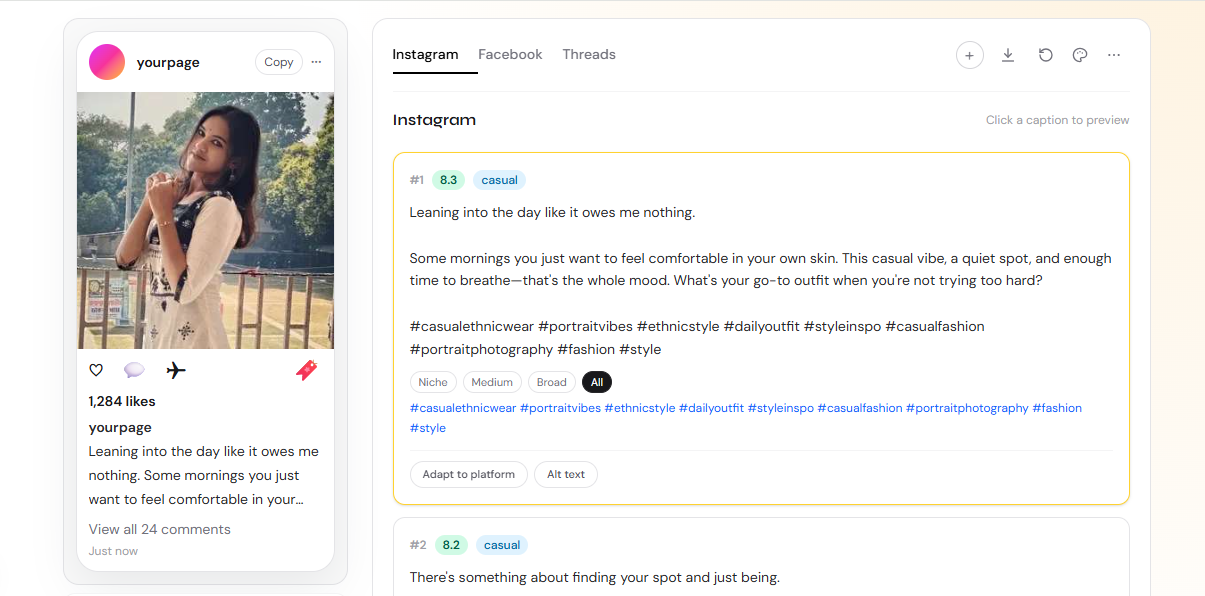
Step 3 — Copy Your Caption and Post Instantly
Once GenCaptions.com generates your Threads caption, copy it in one tap and paste it directly. If the first option does not feel right, regenerate for a fresh variation. It takes less time than thinking about what to write — and the results are consistently better than a blank-screen draft.
Your Threads Growth Starts With the Right Words
Threads is still early enough that consistent, thoughtful posting can build a real audience fast. The creators winning right now are not the ones with the biggest Instagram followings — they are the ones who understood the platform's culture early and showed up with the right voice.
Use the five formats in this guide, keep your tone human, stay consistent, and let the conversations do the rest.
And when you need captions fast — or want to test different angles without spending an hour writing — GenCaptions.com has you covered. Try it free today.
About this article
This guide is part of the GenCaptions editorial library focused on better hooks, stronger positioning, and faster caption workflows for modern social teams.